December 1st, 2025
New
Improved
Fixed
Hey,
I’ve shipped a ton of improvements this week.
New Canvas nodes
Video support
You can now upload your own videos to the canvas.
YouTube videos and shorts
That’s not the only thing. If you want you can add Youtube videos and Shorts to your canvas. Open any video on YouTube you like, copy the link, open the ContentOS canvas and paste the link to the canvas.
Notes
Sometimes you just want to write sth down, so you don’t forget it. You can now do that with the Note node.
Smaller improvements
In addition to that, I improved the resizing and dragging of notes. If you want to edit the text of a post you’ll now need to double click that node, making it easier to move around.
Scheduling
I’ve also improved the way to schedule posts a lot.
Image and video posts
First up, you can now add images and videos to your post.
When scheduling posts, click the “Add files” button, select the files your files and schedule the post at your desired date and time.
Carousel posts
Support for carousel posts/PDF posts is coming. I am currently talking to LinkedIn to give me access to integrate this feature. I’ll keep you updated as soon as things move forward.
Smaller improvements
Again, some smaller improvements:
Enforce a maximum of 3,000 characters per post
Prevent mixing media files like images and videos
Prevent scheduling posts for a past date
Thank your for reading
November 22nd, 2025
New
Fixed
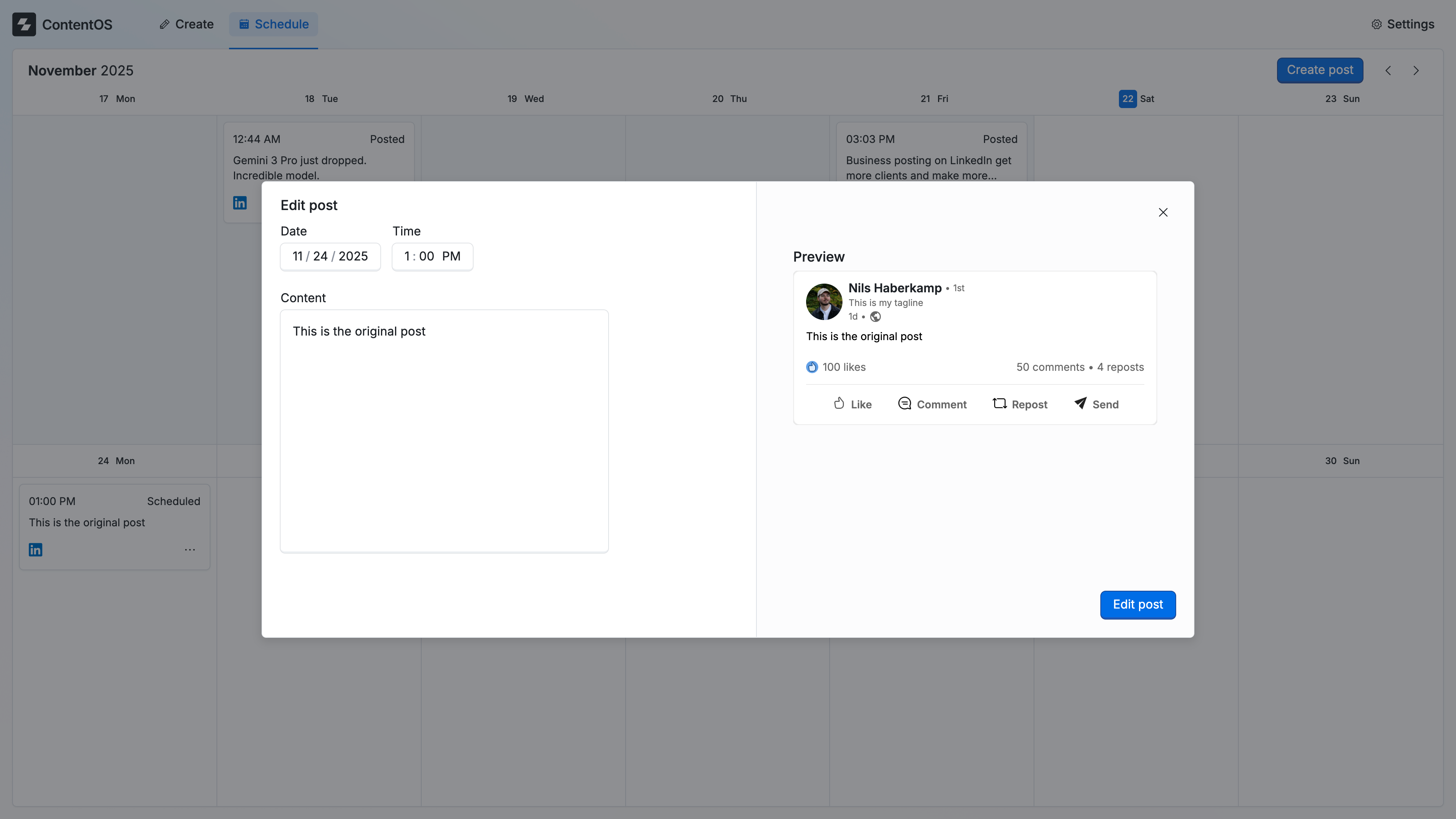
You can now edit posts. For now you can only change the scheduled date and the content of the post. I’ll soon ship an update where you can update the images or the video for your LinkedIn posts.
Smaller improvements
Mobile users can now see the button to delete and edit posts
The placeholder for the create post editor is not translated all languages
Improved the experience for mobile users when they want to delete or edit a post
Thank you!